Tip of the week 181: Datama, right in your AI chat
A big shift for anyone who already works with an AI assistant 🤓
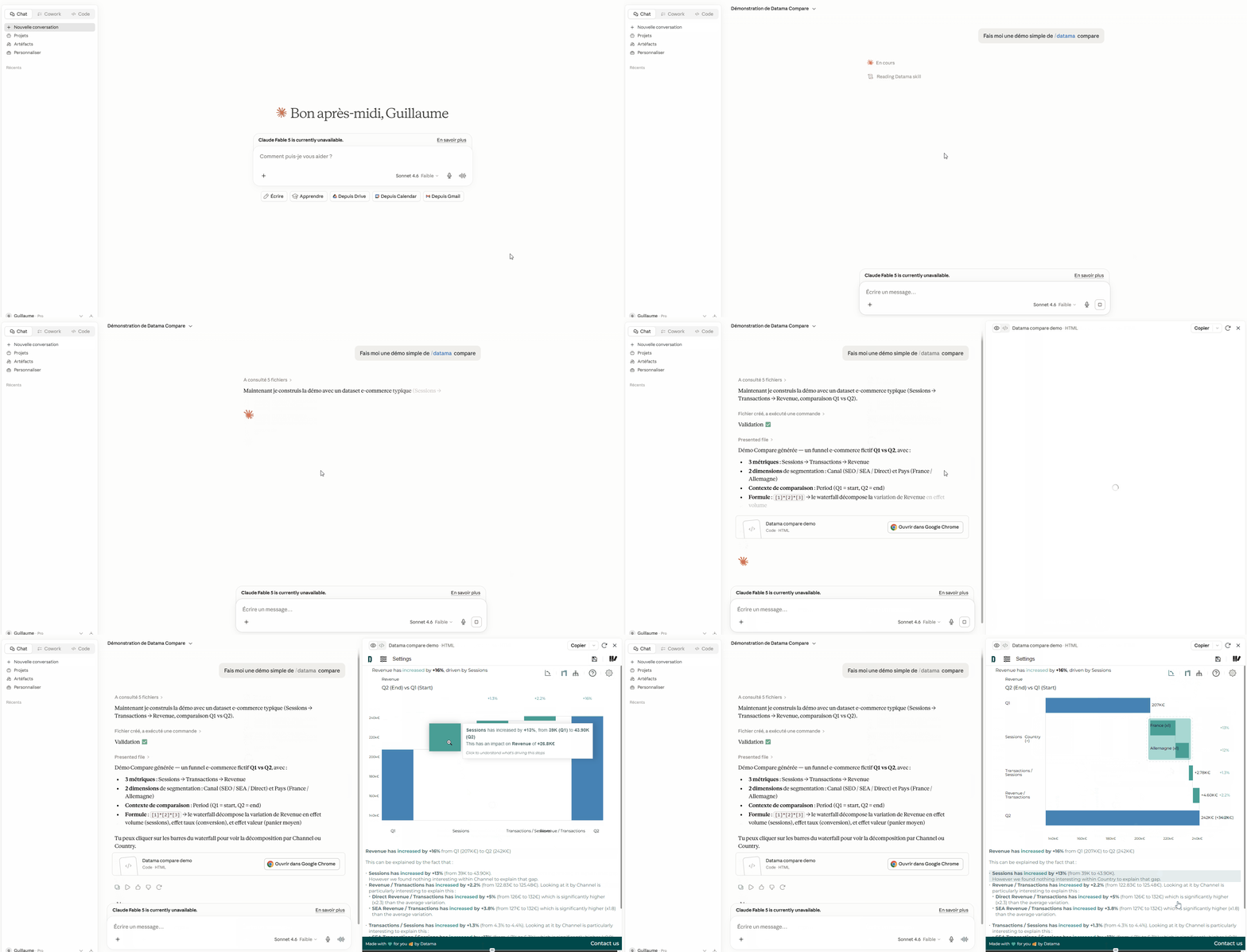
You can now get a real Datama visualization — waterfall, breakdown, drill-down — delivered straight in the conversation 🎉
Ask a business question in plain language. When it’s relevant, your assistant doesn’t just answer in text: it renders Datama for you, interactively, in the chat.
- “Why did revenue drop between Q1 and Q2?”
- “Break down conversion by device and channel.”
- “What drove the change in margin on mobile vs desktop?”
No switching tools. No rebuilding a chart by hand. The analysis shows up where you’re already thinking.
➡️ Why teams love it:
- Stay in the flow: explore a KPI variation without leaving Claude, Cursor, ChatGPT, or your usual AI workspace.
- Instant insight: a full interactive visualization — not a static screenshot — ready to open, share, or dig into.
- Your data stays yours: everything runs in the browser; nothing is uploaded to Datama servers for rendering.
Install the Datama Skill once from your account, then just ask. The assistant knows when Datama is the right answer.
🖱️ Get started with Datama Skills