Download the Datama Skill
Download the Datama skill package from your Datama account and choose whether to include your license in the zip.
1. Where to download
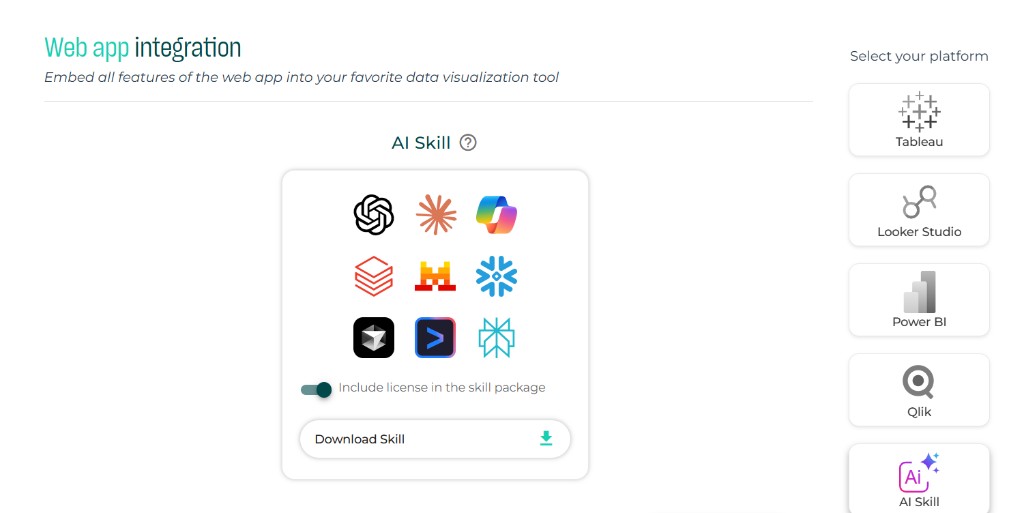
- Go to Web app integration (or My account → Extensions).
- In the platform list on the right, select AI Skill.
- Click Download skill.
The downloaded file is a zip named datama.zip. It contains the full skill package ready to install in your AI assistant host.
2. Include license in the skill package
Before downloading, you can toggle Include license in the skill package:
| Option | Toggle | What you get |
|---|---|---|
| With license | On (default) | Generated visualizations run in paid mode. |
| Without license | Off | Generated visualizations run in demo mode. |
3. Impact of the license choice
With license (toggle on)
- Your license is embedded in the skill package at download time.
- Every visualization the assistant generates runs in paid mode.
Note: The licensed skill zip is tied to the subscriber who downloaded it. Do not redistribute it.
Without license (toggle off)
- Visualizations run in demo mode.
- Useful for testing the skill workflow or evaluating the integration before downloading with a license.
4. What is inside the zip
| File | Role |
|---|---|
SKILL.md |
Instructions for the AI assistant |
references/compare-instructions.md |
Datama Compare configuration specification |
references/explore-instructions.md |
Datama Explore configuration specification |
references/market-equation-instructions.md |
Shared market-equation rules (required for both solutions) |
assets/solution-output-template.html |
HTML template for the delivered page |
scripts/validate_output.py |
Validation script for the generated HTML |
README.md |
Package overview |
5. Next steps
- Install the skill in your AI assistant host.
- Use the skill with your data and natural-language prompts.