Calendar in Compare
1. Calendar in Compare
Calendars in Datama Compare are used to explain differences between two periods by adding event context. The most revelant events over the period are summarize at the bottom of the waterfall comment.
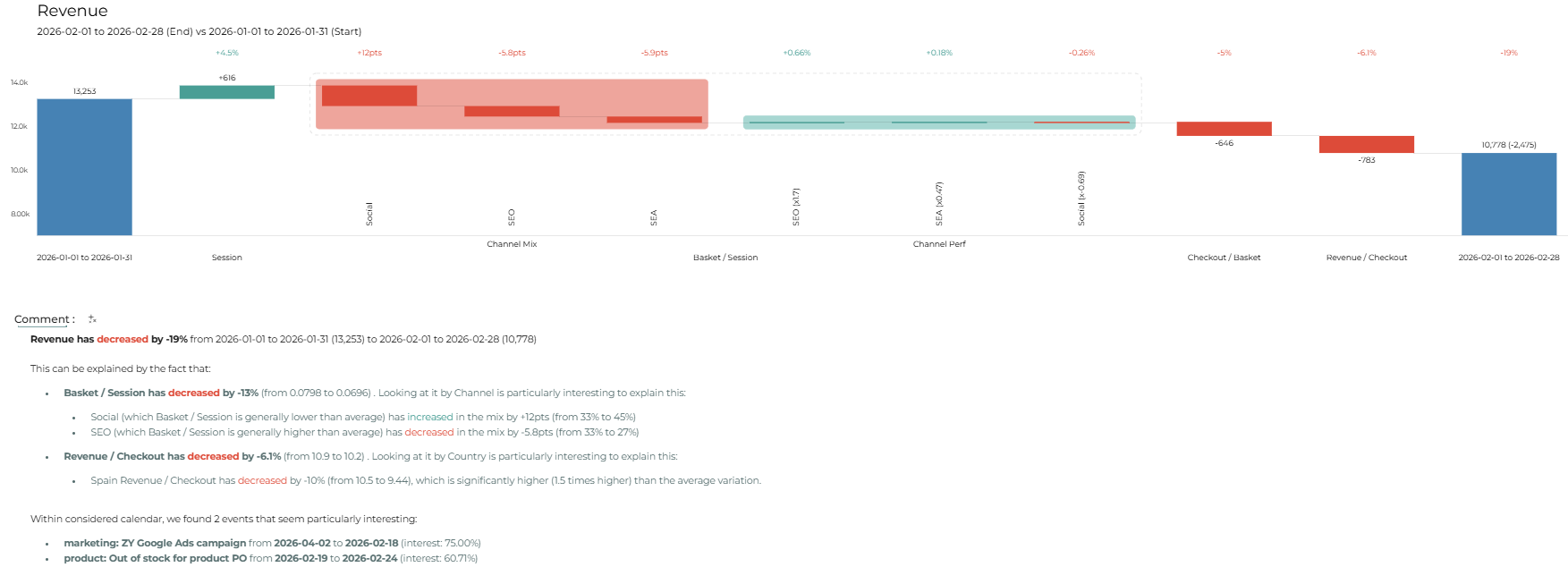
When a calendar is linked:
- Events appear in comparison comments
- Only events within compared periods are considered
- Events help explain KPI variations
2. Calendar Interest Score
Datama computes an interest score for each event based on overlap with comparison periods. If you are comparing date periods, most interesting events will be diplayed at the bottom of your comment of the waterfall.
Examples:
- Event in both periods → low score
- Event in only one period → high score
This helps highlight events most likely responsible for KPI changes.
Note that in Datama Compare Extension the scope impact on interest score
The scope of a calendar can weight the interest score:
- High relevance scope → stronger influence in highlights
- Low relevance scope → reduced importance
This allows prioritization of events depending on business context.
3. AI-Enhanced Commentary with Event Context
Calendars also enhance with the activation of the enhanced comment by enriching prompts with real event context. Automatic Context Injection When calendars are linked to a workbook:
- Events occurring during analyzed periods are automatically injected into AI prompts as context.
- No dataset values are transmitted—only event names and dates are used.
Key Use Cases Enabled
This unlocks powerful scenarios such as:
- AI explanations reworded according to a known event
- Metric variations explained with reference to holidays, campaigns, outages, product launches, etc.
- Context-aware narration of performance shifts, anomalies, or trends.