Calendar interest
1. What is Calendar interest score?
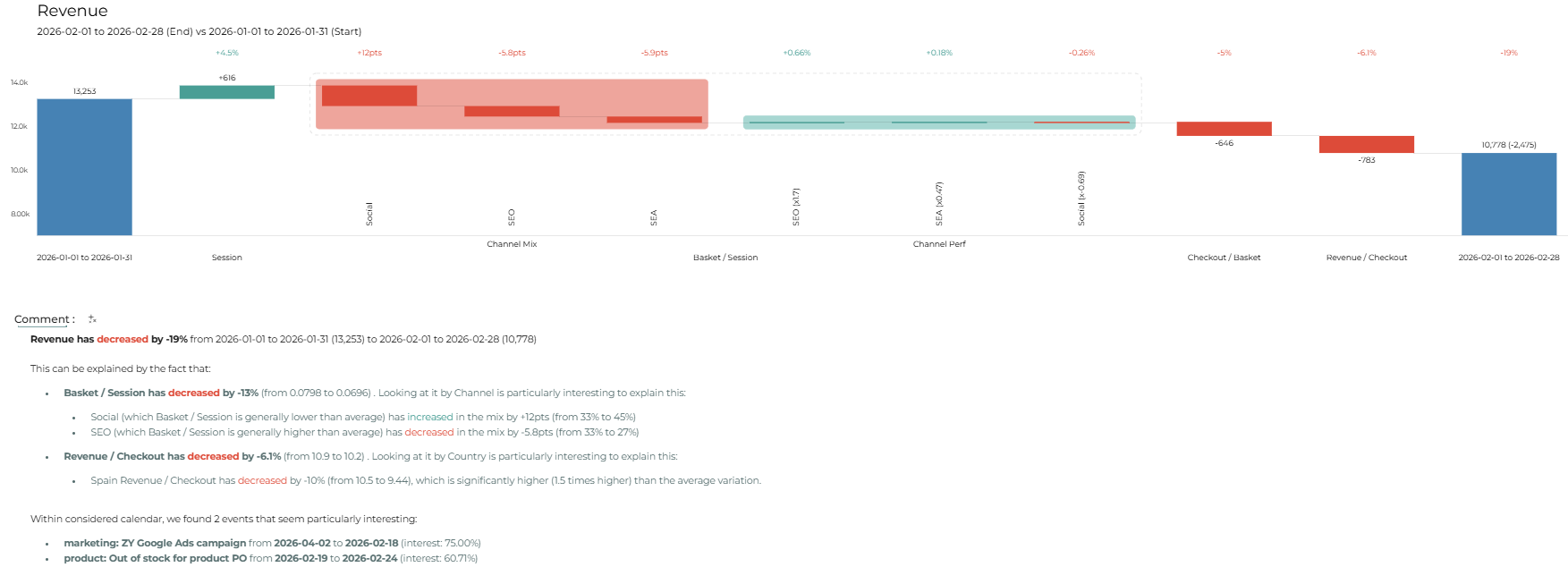
When comparing dates in Datama Compare (both Light & Web app), Datama calculates an interest score for each event in the included calendars. This score is primarily determined by how much each event overlaps with the defined comparison periods.
For example, an event that occurs in both periods being compared (e.g., Christmas Day when comparing December year-over-year) will receive a 0% score.
In contrast, an event that occurs only in the start period (e.g., a website bug happening during just one side of the comparison) will receive a higher score.
2. The logic behind the interest score:
The interest score measures how relevant an event is when comparing two periods. It is mainly calculated on how the event overlaps between the comparison period and the selected (analyzed) period. And the key principle is the less similar an event is across the two periods, the higher its interest score will be.
The chart below illustrates a model of a case study designed to help understand how the interest score is calculated:
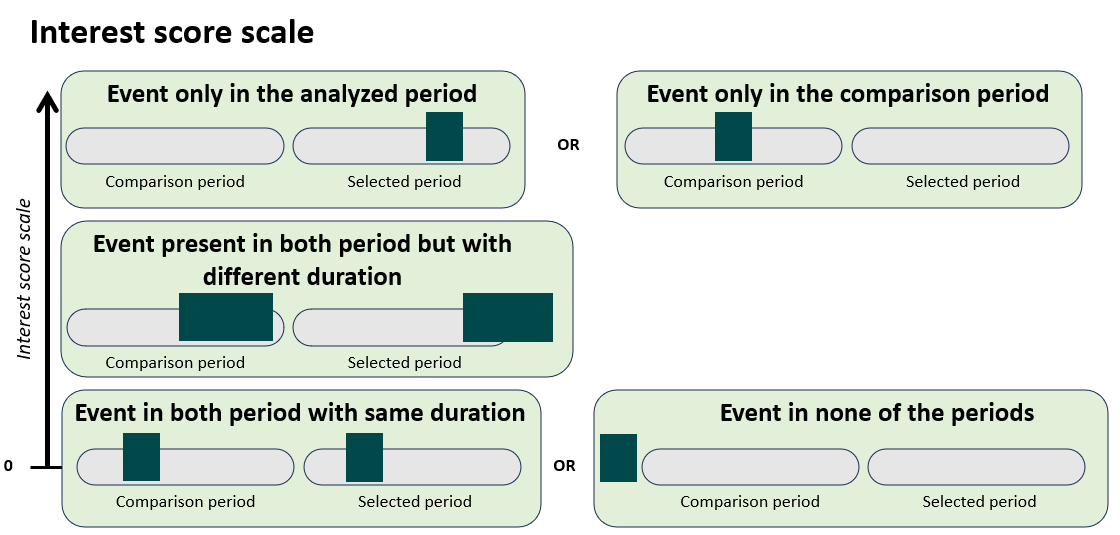
High Interest Score: events receive a high interest score when they occur in only one of the two periods.
Cases:
- Event only in the selected (analyzed) period
- Event only in the comparison period ➡ These events are strong candidates to explain KPI differences between periods.
Medium Interest Score: events receive a medium interest score when they exist in both periods but differ in duration.
Case:
- Event present in both periods with different durations ➡ These events may partially explain differences between periods.
Zero Interest Score: Events receive a zero interest score when they are identical or irrelevant across periods.
Cases:
- Event present in both periods with the same duration
- Event present in none of the periods ➡ These events are unlikely to explain KPI variations.
3. How activate calendar interest score?
You can choose to display the interest score directly in the comments using the toggle available in two different places:
First in your Prep set up, in the block output Datama when connecting calendars to the workbook:

Else in Datama Compare go into the settings and open the Calendars section, you’ll find the same menu as in Prep.

4. Additional parameter options
According to your “analysis depth” setting, Datama highlights the events with the highest interest scores at the end of the Datama Compare comments section.

Additionally, in the web app, you can enable AI-enhanced comments to qualitatively assess the connection between events and numbers. The interest score is passed to your selected LLM to help determine which events are most relevant to surface.